
How to Convert Currency Accurately with a Currency Calculator
Introduction
Accurate currency conversion is crucial for travelers, freelancers, and businesses working with international transactions. Even minor mistakes can lead to overpaying, losing money, or mismanaging budgets. A reliable Currency Calculator simplifies this process, offering precise, real-time calculations that ensure accurate conversion every time. By automating calculations, it reduces human error and helps plan finances effectively. Freelancers receiving payments in foreign currencies, for example, can immediately determine the local value of their earnings, improving overall financial planning and reducing stress.
- Simplifies calculations: Eliminates manual errors in currency conversions.
- Saves time: Allows quick conversions for multiple currencies.
- Supports financial planning: Helps freelancers, travelers, and businesses track income and expenses.
- Integrates with other tools: Works well with calculators like the Budget Planner for holistic financial management.

Why Accurate Currency Conversion Matters
Risks of Incorrect Conversion
Making mistakes in currency conversion can have serious financial consequences. Travelers may overpay for accommodations or services, while online shoppers risk losing money due to outdated rates. Businesses and freelancers may underreceive payments if conversions are inaccurate, impacting financial planning and cash flow. Even small discrepancies can accumulate, leading to budget shortfalls or missed targets over time.
- Overpaying: Paying more than necessary due to incorrect rates.
- Losing money: Freelancers or businesses receiving less than intended.
- Wrong financial planning: Budgeting errors caused by inaccurate conversions.
- Inconsistent reporting: Difficulty reconciling international invoices or expenses.
Example: A Pakistani student booking an overseas course online did not check the updated exchange rate and ended up paying 6% more than expected. By using a Currency Calculator, she could have ensured accurate conversion and avoided unnecessary costs. For official exchange rate references, check the State Bank of Pakistan for real-time updates.
Common Mistakes People Make When Converting Currency
Avoid These Currency Conversion Errors
Even experienced travelers, freelancers, and businesses sometimes make costly mistakes when converting money. One of the most common currency conversion mistakes is relying on outdated exchange rates, which can result in overpaying or receiving less than expected. Many people also make errors by depending on manual calculations, which are prone to human mistakes, especially when handling multiple currencies or large amounts. Ignoring conversion fees or bank charges is another frequent error, as hidden costs can significantly reduce the final amount received.
- Using outdated exchange rates: Leads to financial loss due to rate fluctuations.
- Relying on manual calculations: Human errors can cause discrepancies in large transactions.
- Ignoring conversion fees or bank charges: Hidden costs reduce actual conversion value.
- Skipping verification: Failing to double-check calculations increases risks.
Case Study: A freelancer in Karachi calculated a USD invoice manually and overlooked transaction fees, losing nearly 3% of her earnings. Using the Currency Calculator for accurate conversion could have prevented this loss and improved her financial planning.

Step 1: Know the Current Exchange Rate
How to Check Reliable Rates
Before making any conversion, it is essential to know the current exchange rate, as currency values fluctuate daily due to market conditions, global economic events, and geopolitical factors. Checking rates through reliable online sources or the Currency Calculator itself ensures that conversions reflect the most up-to-date information. Cross-referencing rates across multiple platforms further reduces the risk of error and ensures accuracy for large or repeated transactions.
- Monitor fluctuations: Exchange rates can change hourly; always check before converting.
- Use reliable sources: Official bank rates or the Currency Calculator guarantee live exchange rates.
- Cross-check rates: Comparing multiple sources minimizes the chance of incorrect conversions.
- Plan ahead: Frequent monitoring is essential for freelancers, businesses, and travelers.
Tip: Combining live rate checks with tools like the Budget Planner Calculator helps integrate currency conversions into overall financial planning.
Step 2: Choose the Right Currency Calculator
Selecting a Reliable Tool
Not all online tools are created equal, and choosing the right Currency Calculator is essential for accurate conversions. Manual calculations are prone to human error and can be time-consuming, particularly when handling multiple currencies or large amounts. Online calculators provide instant, precise results, factoring in live exchange rates and reducing the chance of mistakes. The Currency Calculator on CalcMyFinance.com is a reliable option that ensures reliable currency conversion, with a simple interface and up-to-date rates.
- Online tools vs. manual calculation: Automated calculators reduce human errors and save time.
- Real-time conversion: Accurate calculations using live exchange rates.
- Ease of use: Simple interfaces make it easy to input data and get quick results.
- Integration with other tools: Works seamlessly with calculators like the Budget Planner Calculator for complete financial planning.
Example: A freelancer comparing different online tools discovered that CalcMyFinance.com’s Currency Calculator consistently provided the most accurate rates and accounted for minor bank charges, giving her a precise understanding of her payments in PKR.
Step 3: Enter the Correct Amount and Currency
Step-by-Step Guide
Entering the correct amount and selecting the appropriate currencies is crucial for achieving accurate currency conversion. Even small errors in input can create significant discrepancies, particularly for business invoices or large transactions. Using a currency conversion calculator ensures precise calculations while reducing human error. Visual examples or screenshots can help beginners understand the process and avoid mistakes.
- Input the exact amount: Avoid rounding off, as small differences can add up.
- Select the correct source and target currencies: Mistakes here can cause major errors in final calculations.
- Use examples for guidance: Step-by-step visuals help ensure accuracy.
- Record conversions for reference: Track amounts to compare planned vs. actual figures and aid in financial planning.
Case Study: A freelancer converting multiple client invoices from USD to PKR realized that manual entry errors led to mismatched payments. By using the Currency Calculator, she recorded each transaction accurately, preventing discrepancies and improving overall financial monitoring.
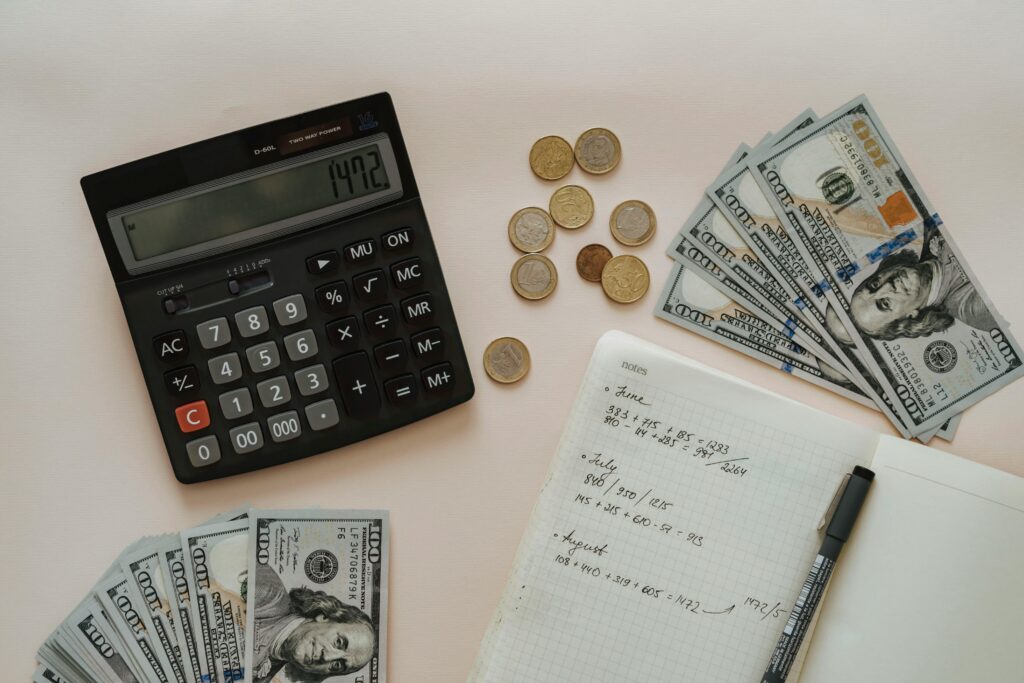
Step 4: Account for Fees and Charges
Understanding Real Conversion Costs
Many people overlook currency conversion fees and transaction charges, which can affect the final amount received. Banks and money transfer services often include hidden fees or spread rates that differ from official exchange rates, reducing the actual value of the converted money. Using a Currency Calculator helps estimate these costs, providing a more realistic view of conversion outcomes and ensuring accurate currency calculation for both personal and business purposes.
- Check for bank or service fees: Different institutions charge differently for the same currency conversion.
- Factor in hidden spreads: Some services include a margin that is not immediately visible.
- Use a calculator for estimates: Helps anticipate final costs before completing the transaction.
- Plan ahead for multiple transactions: Consistently accounting for fees improves budgeting and financial planning.
Example: An online shopper in Lahore saved almost 5% per transaction by comparing fees across banks using the Currency Calculator, which accounted for hidden charges and provided accurate results. This approach ensures better control over financial planning and reduces unexpected losses.
Step 5: Double-Check and Record the Conversion
Tips for Tracking Multiple Conversions
Keeping a detailed record of all your currency conversions is vital for accuracy and future reference. Tracking conversions allows you to compare planned and actual amounts, monitor fluctuations, and avoid errors when dealing with multiple currencies. A reliable Currency Calculator ensures all amounts are recorded precisely, supporting currency calculation accuracy and making it easier to manage business or travel budgets.
- Track currency conversion: Maintain logs for reference on all transactions.
- Save or note conversions: Useful for international payments, invoices, and travel planning.
- Review periodically: Check past conversions to detect and correct errors.
- Integrate with other tools: Combining records with the Budget Planner Calculator or Income Tax Calculator enhances overall financial planning.
Case Study: A Karachi-based freelancer maintained a log of all conversions using the Currency Calculator. She avoided mismatched client invoices and improved her financial monitoring, allowing for accurate reporting and better cash flow management.
Additional Tips for Currency Conversion
Smart Strategies for Better Conversions
Using a Currency Calculator effectively goes beyond entering amounts and selecting currencies. Planning ahead, checking for seasonal fluctuations, and integrating conversions with other tools ensures smarter financial decisions. By anticipating changes in exchange rates, travelers and businesses can reduce costs, avoid unnecessary fees, and improve overall financial planning. Combining the calculator with related tools like the Income Tax Calculator and Budget Planner Calculator helps users manage international payments more efficiently and ensures a comprehensive approach to money management.
- Use the calculator before travel or payments: Ensures realistic budgeting and accurate currency conversion.
- Monitor seasonal fluctuations: Exchange rates can change due to market trends or global events.
- Integrate with financial tools: Combining with other calculators supports holistic financial planning.
- Compare fees and rates: Helps optimize international payments and reduce unnecessary losses.
Example: A freelancer in Pakistan used the Currency Calculator before making international transfers and planned around exchange rate fluctuations, saving both time and money. Smart usage of currency planning tools ensures better handling of international payments and reduces errors in business or travel budgets.

Conclusion
Ensure Accurate Conversion Every Time
Using a Currency Calculator provides precise, real-time results for travelers, freelancers, and businesses, helping to avoid errors and unexpected losses. The tool guarantees accurate currency conversion, making it easier to plan finances, budget effectively, and track multiple transactions. Integrating the calculator with other currency planning tools enhances overall financial management, whether for travel expenses, business invoices, or online purchases.
- Visualizes actual currency values to prevent mistakes.
- Accounts for hidden fees and bank charges for precise conversion.
- Supports smart planning for international payments and overall financial planning.
Start using the Currency Calculator today to simplify your conversions, save money, and gain confidence in your financial decisions.
Convert Currency Accurately in Seconds!
Start converting smartly today and integrate results
FAQ: Currency Calculator and Accurate Currency Conversion
- What is a Currency Calculator?
A Currency Calculator is an online tool that converts money from one currency to another using live exchange rates. It helps freelancers, travelers, and businesses plan budgets, compare currencies, and track payments accurately. - Why is accurate currency conversion important?
Accurate conversions prevent financial losses during international payments or online shopping. It ensures precise calculations, reduces errors, and helps in better budgeting and long-term planning. - How do I know the current exchange rate?
Exchange rates change constantly. Reliable Currency Calculators, like CalcMyFinance.com, provide live rates. For Pakistan-specific rates, refer to the State Bank of Pakistan. - Can I use a Currency Calculator for international payments?
Yes. It allows you to enter exact amounts, select currencies, and account for fees, ensuring accurate international transactions. - What are common currency conversion mistakes?
Avoid using outdated rates, manual calculations, and ignoring transaction fees. A trusted calculator ensures real-time rates and accurate results. - How can I track multiple conversions?
Track and log conversions regularly to compare planned and actual amounts. This is useful for freelancers, businesses, and travelers managing multiple currencies. - Tips for smart currency conversion:
Check for rate fluctuations, plan conversions in advance, and always use reliable calculators. Integrating other tools like Budget Planners can optimize financial decisions.